Live in Star Wars, not just through it.
That One Thing
Setting up a moisture vaporator camp in the Dune Sea of Tatooine under twin suns, then resting around a campfire while an entertainer buffs your combat mind pool.
4 ways to play Star Wars Galaxies. Each has its own install, community and verification status.
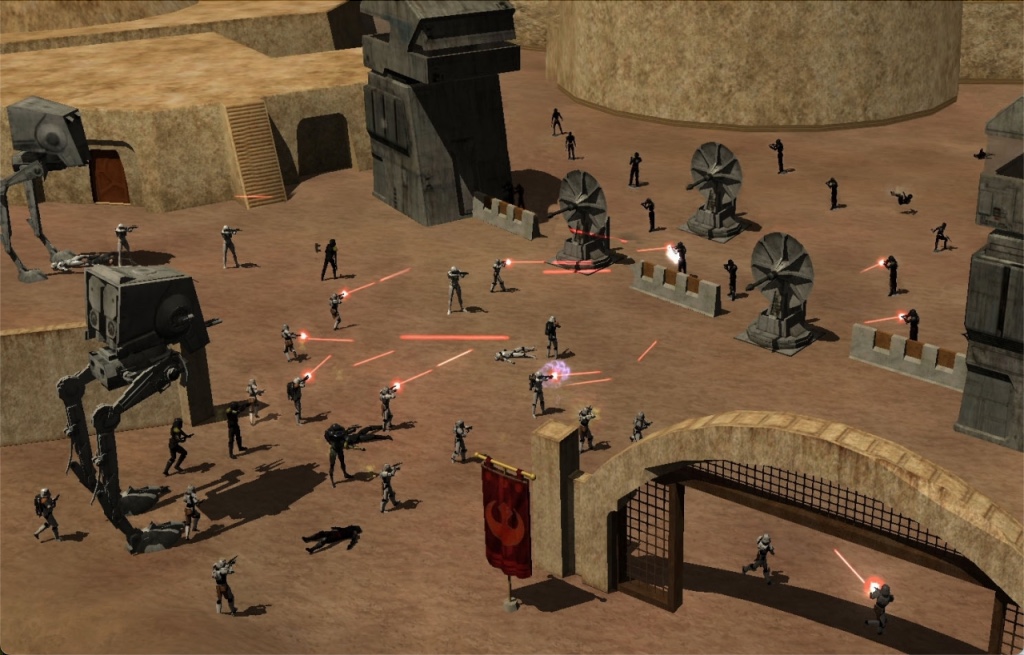
Popular SWGemu community galaxy.

Live in Star Wars, not just through it.
NGE-focused Star Wars Galaxies community.
Pre-CU / restorational SWG community focus.
Star Wars Galaxies was never really about being a Jedi. That was part of the appeal. The original 2003 MMORPG created a version of Star Wars where you could become a bounty hunter, entertainer, trader, crafter, medic, pilot, architect, combatant, or politician. Or you could simply be someone who owned a house in a player-built city and knew half the people who lived there.
The official game shut down in 2011, but its unusually ambitious sandbox design never really disappeared. Today, Star Wars Galaxies lives on primarily through a collection of community-run private servers and emulator projects, each taking a slightly different approach to preserving or reinventing the game.
The best-known projects include SWGEmu, which focuses on recreating the Pre-Combat Upgrade version of the game, as well as servers such as SWG Legends, SWG Restoration, and New Foundations, each offering its own interpretation of what a modern Star Wars Galaxies experience should be.
That's actually what makes SWG particularly interesting for us.
There isn't one single "official" modern Star Wars Galaxies experience. Instead, there is an entire ecosystem of communities keeping different versions of the game alive.
SWGEmu is perhaps the purest preservation project. Its goal is specifically to recreate the Pre-CU experience, with its developers building their own server software from scratch rather than simply distributing the original game's server code. The project is open source, and its Core3 repository remains actively developed.
Other servers take considerably more creative liberties.
SWG Restoration, for example, combines a Combat Upgrade-inspired combat system with content from the later NGE era and expansions, while adding original species, content, city systems, Jedi mechanics, and other changes. It describes itself as a fan-made, nonprofit community project and explicitly positions itself as a "what could have been" version of SWG.
SWG Legends focuses on the later-era experience, including Jump to Lightspeed, player housing, space missions, crafting, professions, and additional custom content developed specifically for its server.
And New Foundations is currently positioning itself as a Pre-CU server while continuing to add its own modern improvements. Its 2026 development work includes systems such as dynamic weather and improved harvesting automation.
That variety is important because it means returning to Star Wars Galaxies isn't simply a matter of downloading an old MMO and hoping it still works. You're choosing a community and a philosophy.
Some servers prioritize historical preservation. Others want to fix things they believe the original got wrong. Some add entirely new content. Some focus on specific eras of SWG's complicated history.
And underneath all of them is the same wonderfully unusual idea: Star Wars as a living sandbox rather than a theme park.
We picked Star Wars Galaxies specifically because the private-server scene is part of the story now. The original game is gone, but the community refused to let the idea disappear—and instead of getting one revival, we got an entire ecosystem of people rebuilding different versions of the galaxy. That's what we want PlayBound to surface: not just old games, but the communities keeping them alive. With SWG, there's something especially cool about being able to choose your version of the galaxy—Pre-CU preservation, a later-era experience, or a heavily customized interpretation—and then step into a world that other players have been maintaining for years.
Great if you want
Look elsewhere if
Checking…
Minimum
See your chosen community edition
Recommended
Windows 10 · Dual-core · 8 GB RAM · Dedicated GPU
Yes! Community server emulators (SWGEmu, SWG Legends, SWG Restoration) are 100% free non-profit community projects. You only need the original base game client files to patch and play.
SWGEmu (Finalizer) preserves the original 2003 Pre-Combat Upgrade 14.1 skill tree system. SWG Legends runs the Post-NGE era with high-level heroic instances and space content. SWG Restoration offers a hybrid custom ruleset.
Players can drop harvesters, build custom houses, and place factories anywhere in the open world. Groups of players can establish official player cities that gain rank, elect a Mayor, and build shuttleports and hospitals.
Yes! The Jump to Lightspeed expansion allows players to build, customize, and pilot starfighters (X-Wings, TIEs) and multi-crew gunships (YT-1300 Millennium Falcon chassis) in seamless space combat.
Yes! Different editions handle the Jedi path differently: SWGEmu uses the classic holographic mystery progression, while other editions offer dedicated Jedi profession paths.
Yes! Modern community launchpads include DirectX 9/11 wrappers, widescreen 4K resolutions, 60fps unlocked animations, and Wine/Proton support for Steam Deck.
Yes. Star Wars Galaxies has multiplayer. Its multiplayer runs through the game's own online service or menus, so PlayBound Connect parties and PlayBound dedicated servers are not available for it. The game can run its own dedicated servers. There is no subscription and no paid multiplayer tier.
Community
Official Discord
Talk directly with the SWGEmu Official community.
Join Official Discord ↗
PlayBound Discord
Chat with PlayBound players in #general.
Join #general ↗
Solved this in Discord? Post the fix here so the next player can find it.
Nothing scheduled yet. Bring your friends together for a game night.
Create eventSign in to publish a community event, or start a party and play now.
Start a party →You can build a house. Start a business. Join a player city. Become a crafter whose equipment other players depend on. Hunt bounties. Entertain people in a cantina. Pilot a starfighter. Fight in the Galactic Civil War. Or spend hours doing something that has almost nothing to do with the main Star Wars story.
That player-driven identity is why SWG remains so compelling decades later.
Featured in
4 ways to play Star Wars Galaxies. Each has its own install, community and verification status.
Popular SWGemu community galaxy.
Live in Star Wars, not just through it.
NGE-focused Star Wars Galaxies community.
Pre-CU / restorational SWG community focus.
Activity
625
playing now
Updated every 15 minutes
A PlayBound controller profile is being tested for this game. You can choose the preview in the Windows launcher; its layout may still need tuning.
How PlayBound Controls worksDefault bindings for every input method Star Wars Galaxies supports. These are the game's own defaults — anything you have remapped will differ.
Community-documented defaults. Open Options (Ctrl + O), then Controls, then Keymap to see or switch the layout; an FPS keymap there gives standard W A S D movement.
Default keyboard and mouse bindings.
Mouse and keyboard. SWG mixes point-and-click, radial menus and hotkeys.
| Action | Default input |
|---|---|
| Move | Arrow keys |
| Steer forward | Hold Right Mouse and move the mouse |
| Walk instead of run | Shift (hold) |
| Action | Default input |
|---|---|
| Zoom the camera | Mouse wheel or keypad + / - |
| Rotate the camera | Hold Right Mouse |
| Toggle the chase camera | Keypad . |
| Action | Default input |
|---|---|
| Fire a toolbar slotDrag abilities onto the toolbar from Ctrl + A | F1 to F12 |
| Action | Default input |
|---|---|
| Open the radial menu | Right-click an object, NPC or player |
| Action | Default input |
|---|---|
| Toggle mouse pointer / mouse look | Alt |
| Character sheet | Ctrl + C |
| Holocron help | Ctrl + H |
| Inventory | Ctrl + I |
| Planetary map | Ctrl + M |
| Options | Ctrl + O |
| Community | Ctrl + P |
| Skills | Ctrl + S |
| Abilities and commands | Ctrl + A |
| Map | M |
Source: SWG Wiki: Options
| Datapad |
|---|
| K |
| Game menu | Shift + Esc |
|---|