8.5 GB
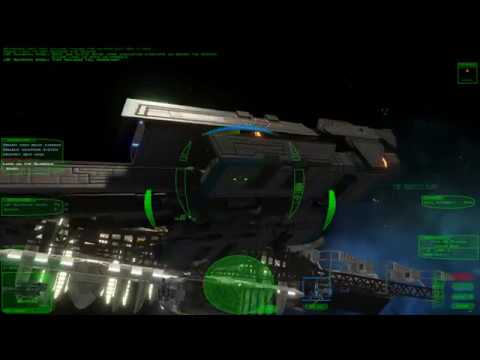
A free anime space opera built on the FreeSpace 2 engine, with weapon crafting, multi-lock missiles and a story that remembers your choices.
Verified working 19 hours ago
Last updated
Wings of Dawn is a free space game released under Freeware — free for non-commercial use under the FreeSpace 2 source-code terms. It runs on Windows, Linux, needs about 8.5 GB of disk space, and requires no account, payment or trial. On a computer, the fastest route is the PlayBound Launcher. On a phone or tablet, use the official store or site instead.
Choose how to install
Install with PlayBound or download from the official source without the launcher.
Windows
Press Install in PlayBound. It downloads the official standalone archive (about 4.89 GB) from ModDB, verifies its MD5 and unpacks it to about 8.5 GB, so make sure you have at least 9 GB free. You do not need FreeSpace 2 or Knossos.
Windows
Press Play. PlayBound opens the game's own Launcher.exe. On the first run open its Flags/Details tab, pick your resolution and, on weaker PCs, turn off shadows and deferred lighting. Press Play inside it to start the game.
Windows
On Windows 10 the launcher may report a graphics adapter error; set Launcher.exe to Windows 7 compatibility mode if it does. Bind your joystick or gamepad in the launcher's input settings before your first mission.
Linux
Use Knossos on Linux (https://fsnebula.org/mod/wod) or the Linux build linked from the developer's download page (wod_ex17_linux.zip); the developer cannot offer direct Linux support. PlayBound's one-click install is Windows only.
Prefer Knossos on Windows too? The developer recommends it: install Knossos, then Wings of Dawn from https://fsnebula.org/mod/wod. Use Locate in PlayBound afterwards to add that copy.
Recommended first-time setup and configuration steps when launching Wings of Dawn.
Start Episode 1 on a medium difficulty. From medium upward, enemy count rises while your stats stay fixed, so veterans may prefer Hard.
Bind your joystick or gamepad in the launcher before the first mission, and read the weapon-crafting notes between missions.
Minimum
Windows or Linux (macOS builds are 'hopefully later') · any Intel or AMD CPU from the last five years at release · 4 GB RAM · a 2 GB OpenGL 3.3-capable video card (dedicated ATI/Nvidia strongly recommended) · 8 GB free disk space · keyboard, mouse or joystick. The developer's weakest test machine was a laptop with an i7-2670QM and GeForce GT 555M.
Recommended
Not published as a separate tier. The developer recommends a dedicated GPU, and says turning off shadows and deferred lighting in the launcher helps on weaker machines.
Yes. It is completely free and standalone. As with every FreeSpace 2 Open total conversion, the terms of the source release mean it may not be sold commercially.
No. The developer's FAQ says you can install through Knossos or extract the archive and play without owning FreeSpace 2.
The archive is about 4.89 GB (5,252,464,133 bytes on ModDB). It unpacks to about 8.5 GB, and the developer asks for 8 GB of free disk space, so allow about 9 GB to be safe.
A CPU from the last five years at release, 4 GB of RAM, a 2 GB OpenGL 3.3 graphics card (a dedicated ATI/Nvidia card is strongly recommended) and 8 GB of disk. Windows and Linux are supported; macOS is not.
Yes. The developer lists joystick input alongside keyboard and mouse. We have tagged Flightstick Support; gamepads generally work as joysticks through the launcher.
The current release is Episode 2 from December 2018. The developer has not shipped a new episode since, so we do not mark it actively maintained.
No. Wings of Dawn is a single-player game, so there is no multiplayer mode to join or host.
Mostly. The developer's FAQ mentions mild swearing, fantasy violence and some lewd images hidden in the game, plus a separate optional 18+ patch, so we do not tag it Family Friendly.