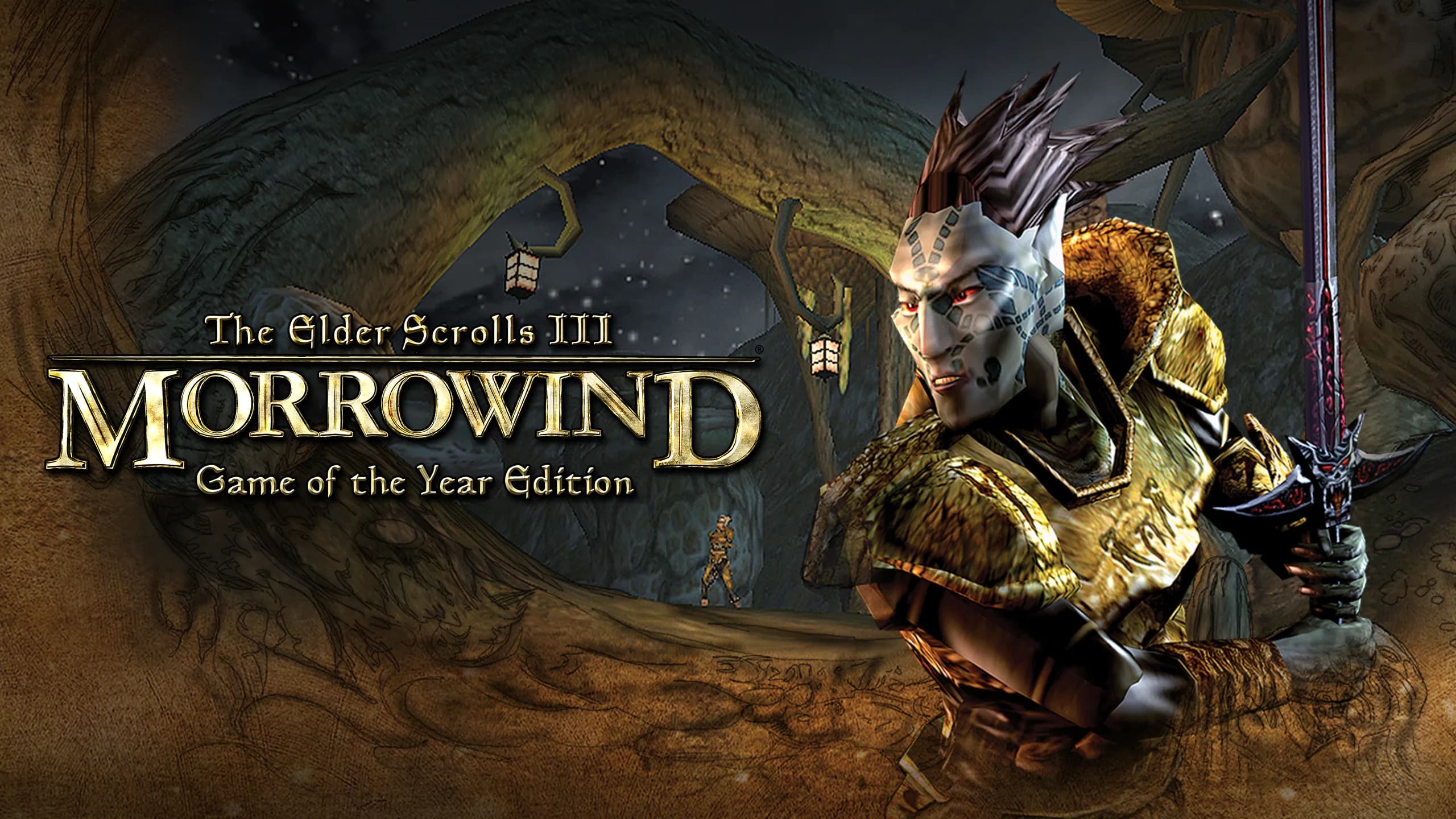
Get off the boat, ignore the prophecy, and get wonderfully lost.
Owning The Elder Scrolls III: Morrowind unlocks the games, editions, and mods below.

Modern 64-bit open-source engine recreation of Morrowind with widescreen, controller support, and uncapped performance.

Full multiplayer co-op and persistent server synchronization for Morrowind built on OpenMW.

Total overhaul rebalancing Vvardenfell with expanded cities, redesigned dungeons, new gear, and rebalanced magic.
Original 2002 Bethesda Gamebryo executable for Morrowind Code Patch (MCP) and MGE XE purists.
Morrowind’s mainland, 1,000+ quests, and OpenMW
That One Thing
Stepping off the boat in Seyda Neen, looting a ring from a hollow tree stump, and casting an overpowered Levitate spell to drift over the ash wastes of Red Mountain while Cliff Racers screech above you.
The Elder Scrolls III: Morrowind remains the high-water mark for open-world roleplaying ambition. Arriving in 2002, it eschewed the generic European fantasy tropes of its predecessors to build Vvardenfell: a volcanic island of towering mushroom trees, ash storms, giant silt strider transports, and brooding Dunmer politics.
You arrive as an unnamed, penniless prisoner released by royal decree onto the docks of Seyda Neen. From that first step into the humid coastal air, the world is entirely yours. There are no compass arrows guiding you, no scaled enemies leveling up alongside you, and no unkillable plot-essential NPCs. If you want to walk into a sunken Daedric shrine at level one and get crushed, you can. If you want to brew custom potions that let you leap across mountain ranges, the game will let you break its systems wide open.
PlayBound features Morrowind powered by OpenMW, the phenomenal modern open-source engine rewrite. OpenMW replaces Bethesda's aging 2002 executable with a clean, crash-proof 64-bit engine supporting 4K resolutions, native physics, modern gamepads, seamless view distances, and multiplayer via TES3MP.
Morrowind asks for patience: combat resolution uses dice rolls behind the scenes, stamina management dictates everything from bartering to spellcasting, and directions are given in journal text ('turn north at the split boulder'). But for players willing to immerse themselves, Vvardenfell offers an atmospheric depth that modern RPGs rarely match.
Morrowind is Bethesda's crowning artistic achievement: a genuinely alien, uncompromising fantasy world where you feel like an authentic stranger unraveling an ancient culture. With OpenMW providing modern engine stability and widescreen brilliance, it is the ultimate single-player RPG sandbox.
Great if you want
Look elsewhere if
Checking…
Minimum
Windows 98/Me/2000/XP · 500 MHz Pentium III/Celeron or AMD Athlon/Duron · 256 MB RAM · 32 MB Direct3D GPU · DirectX 8.1 · 1 GB storage
Recommended
800 MHz or faster Pentium III or AMD Athlon · 256 MB RAM · GeForce 2 GTS or Radeon 7500-class GPU · 1 GB storage
OpenMW is a free, modern, open-source reimplementation of the Morrowind game engine. It fixes thousands of legacy bugs, adds native 64-bit multi-core performance, widescreen and 4K support, modern gamepad controls, and cross-platform compatibility.
Yes. OpenMW is an open-source engine that requires the Morrowind data files (such as Morrowind.esm). PlayBound's launcher helps locate or install existing game files from GOG, Steam, or original discs.
Yes, OpenMW features native modern gamepad and controller support with customizable button bindings and smooth stick navigation.
Yes, through TES3MP, a community multiplayer branch of OpenMW that allows cooperative questing, PvP, and shared persistent servers across Vvardenfell.
Combat uses behind-the-scenes dice rolls influenced by your character's weapon skill, agility, and current fatigue. Keeping your green stamina bar full is essential for landing hits successfully.
Yes. The Elder Scrolls III: Morrowind supports up to 64 players. You can join a public community server from the PlayBound server browser, have PlayBound start a dedicated server for your group, and host a game on your own PC. PlayBound Connect handles the setup: start a party with your friends, pick how you want to play, and everyone launches into the same game from the PlayBound launcher, with the dedicated server started for you if you choose one. There is no subscription and no paid multiplayer tier.
Community
Official Discord
No verified official Discord has been submitted.
Developers can contact PlayBound to verify an official community link.
PlayBound Discord
Chat with PlayBound players in #openmw.
Join #openmw ↗
Solved this in Discord? Post the fix here so the next player can find it.
Nothing scheduled yet. Bring your friends together for a game night.
Create eventSign in to publish a community event, or start a party and play now.
Start a party →$3.75
Usually $14.99
PlayBound does not sell this game. Once you own it, install the PlayBound edition from the header or the Install tab.
This game natively supports a controller — no setup needed.
Default bindings for every input method The Elder Scrolls III: Morrowind supports. These are the game's own defaults — anything you have remapped will differ.
Bindings vary by edition and are remappable. The controller layout documents OpenMW, PlayBound's default edition.
Default keyboard and mouse bindings.
| Action | Default input |
|---|---|
| Move | W, A, S, D |
| Jump | E |
| Sneak | Left Ctrl |
| Run | Left Shift |
| Action | Default input |
|---|---|
| Look / turn | Mouse |
| Action | Default input |
|---|---|
| Ready weapon | F |
| Ready magic | R |
| Attack / cast | Left Mouse |
| Action | Default input |
|---|---|
| Activate / use | Space |
| Action | Default input |
|---|---|
| Inventory / character menu | Right Mouse |
| Action | Default input |
|---|---|
| Journal | J |
| Rest | T |
Source: Morrowind GOTY PC manual
Default gamepad layout, using the standard face-button names.
Native controller support applies to the OpenMW edition. Classic Windows Morrowind is keyboard-and-mouse; TES3MP follows its OpenMW-derived client settings.
| Action | Default input |
|---|---|
| Move | Left Stick |
| Action | Default input |
|---|---|
| Look | Right Stick |
| Action | Default input |
|---|---|
| Attack / cast | Right Trigger |
| Ready weapon / magic | Face buttons |
| Action | Default input |
|---|
| Activate / confirm | A / Cross |
|---|
| Action | Default input |
|---|---|
| Cancel / open menu | B / Circle |
| Navigate menus | D-pad / Sticks |
Source: OpenMW documentation
Activity
12
playing now
Top Players
Updated every 15 minutes